Planning
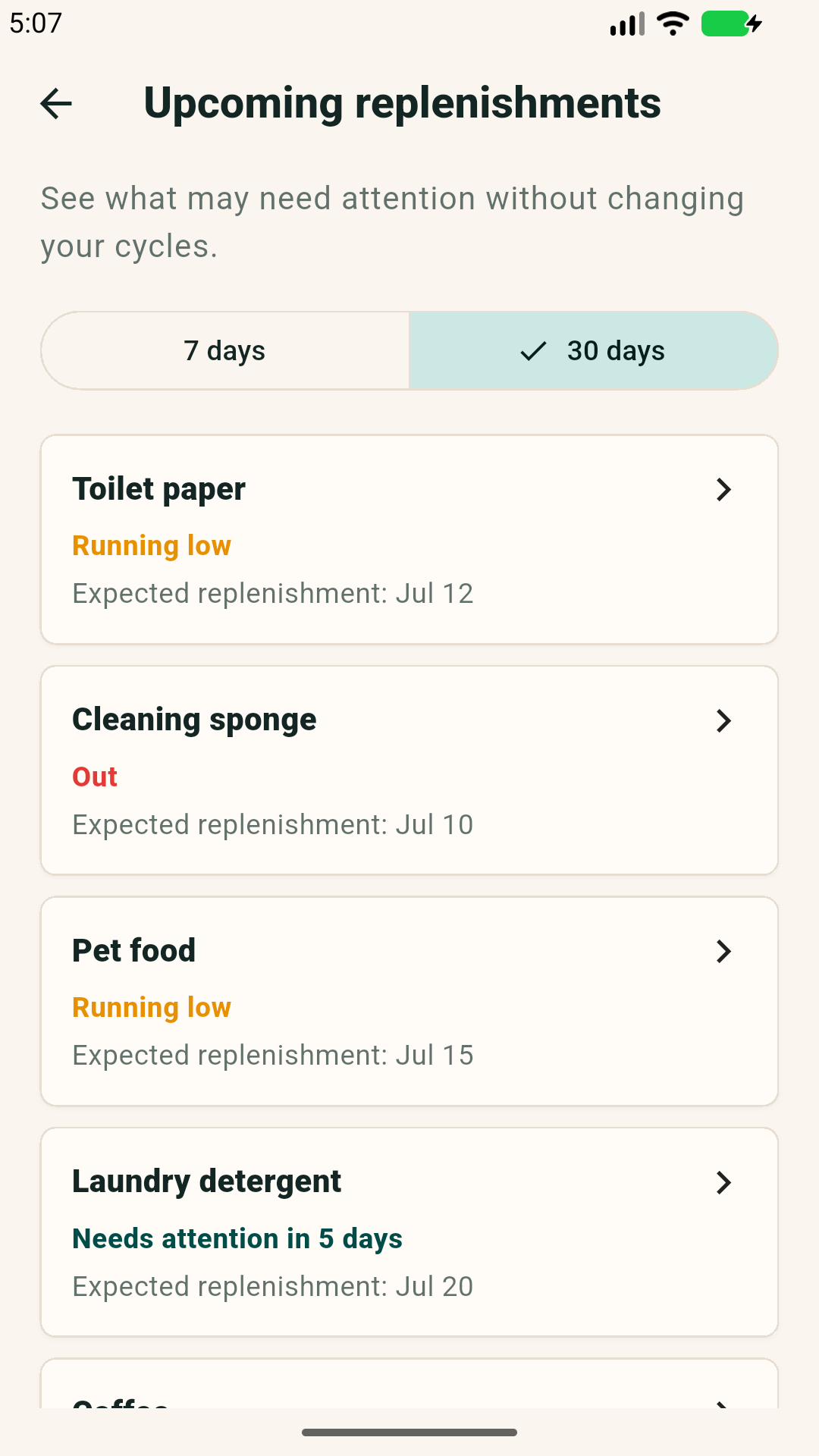
How to use the next restocks view for 7 and 30 days
The 7/30 day view helps you see the next restocking wave, separate urgency from planning and avoid cupboard checks.

A short forecast for the household
The home screen includes a complementary next restocks view for 7 and 30 days, based on the cycles you saved.
View RepletaWhat the 7 day window is for
Seven days is the action window. It helps you see what can join the next store run, online order or quick conversation with someone who shares the home.
Use this view for items that deserve a decision soon. If something appears there, it does not mean you must buy immediately. It means it is worth checking or preparing.
- Separate what is close to running out.
- Group purchases that fit the same trip.
- Avoid remembering an item only after it is already out.
What the 30 day window is for
Thirty days is the planning window. It shows the next wave of household cycles, such as filters, pet food, cleaning products or items that depend on delivery.
This view is useful before travel, during monthly planning or when you want fewer emergency purchases without filling cupboards.
Read it without turning it into a shopping list
Look at urgent items first
What is out or running low still matters more than distant forecasts.
Use 30 days for dependency
Items with delivery, specific models or harder purchasing deserve more slack.
Mark restock only after restocking
The forecast helps planning, but the cycle should restart only when the item was actually replaced.
When the forecast looks wrong
The forecast depends on saved cycles. If a restock appears too early or too late, adjust the duration or reminder window after observing real use.
That correction is part of the method. The goal is a more useful household memory, not a rigid calendar.
REPLETA
Turn this guide into reminders.
Add recurring household items, set an approximate cycle and receive local alerts before something needs attention.